
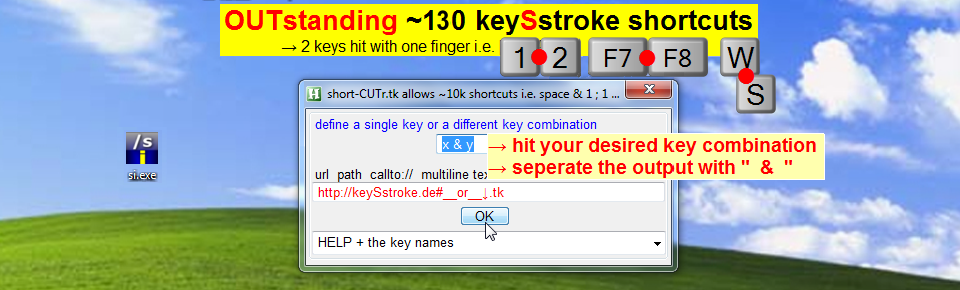

if your keyboard supports the keySstroke technique, use the way shown in the ↓↓video
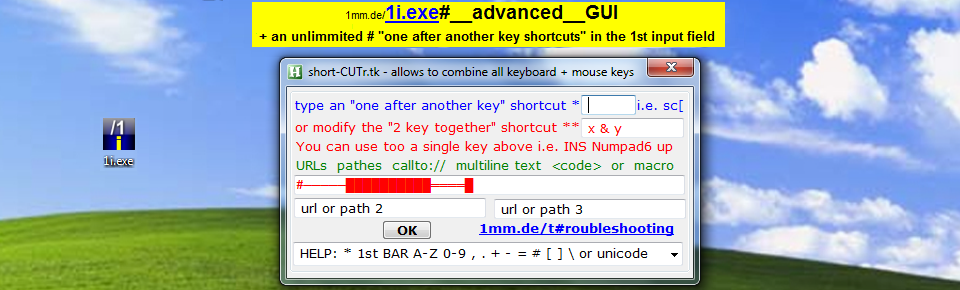
advanced setup only 1 line code↓↓ →highlight →F6 →hit your desired key combination →modify e.g. 67 to "6 & 7″ → [OK]
How to test your keyboard →hit from different positions [X|ENTER] →you should get a column X without blank lines [X] = the key left to the ENTER key
if your typed column contains blank lines set up 2 shortcuts for the same action(s) e.g. 6 & 7 + 7 & 6 ![advanced keySstroke setup i.e. [6|7]](http://11m.de/gui.png)
the app will add the following code to the end of the .ahk file
~6 & 7::
~7 & 6::run http://1mm.de
ALTERNATIVE: if blank lines: •set up e.g. 6 & 7 in the 1st tab •press the keys a little more controlled, means, the 6 key a little earlier than 7
vimeo.com/sex/2 #.↓. keySstroke.tk#__~130_keySstroke_shortcuts__e.g._[1|2]__[T|Y] from ! @SeX#.﴾͡๏̯͡๏﴿. on Vimeo.